Share on your terms.Decide who sees it.Follow what matters.
Artificial social intelligence that understands people — and still answers to them.
Now available for iPhone and Android


Your post, your rules
Choose who sees this before you share.
Create your own space
Groups, places, events, and real communities.
Creators keep control
Grow your audience without losing your connection to them.
The TrueSay app
A social app where you're in control.
Post, follow and talk on your terms. Share with everyone, your followers, your Close Friends or just yourself. Decide who can reply. Tune your own feed. And when you want to make more than a post, creator tools are built in.
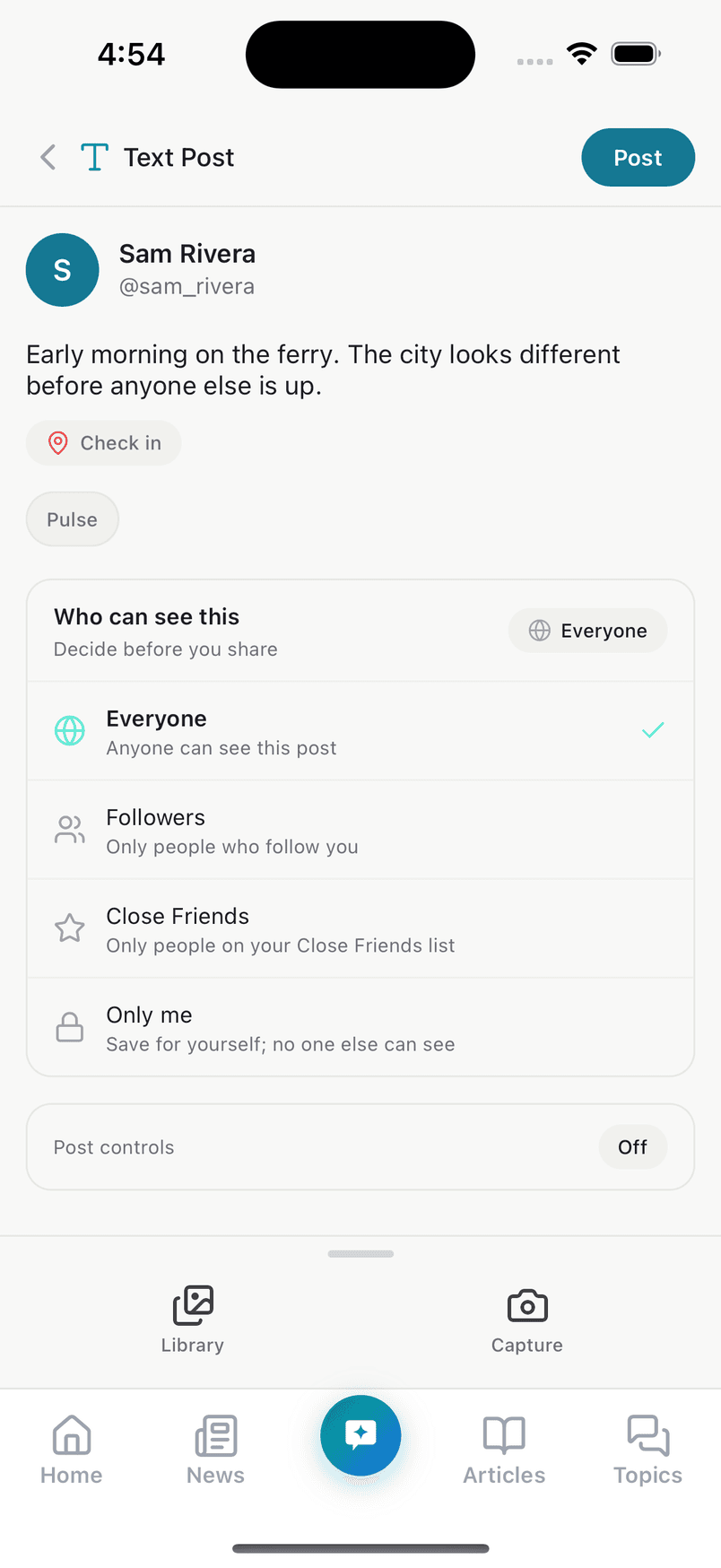
Choose who sees every post, before you share it. 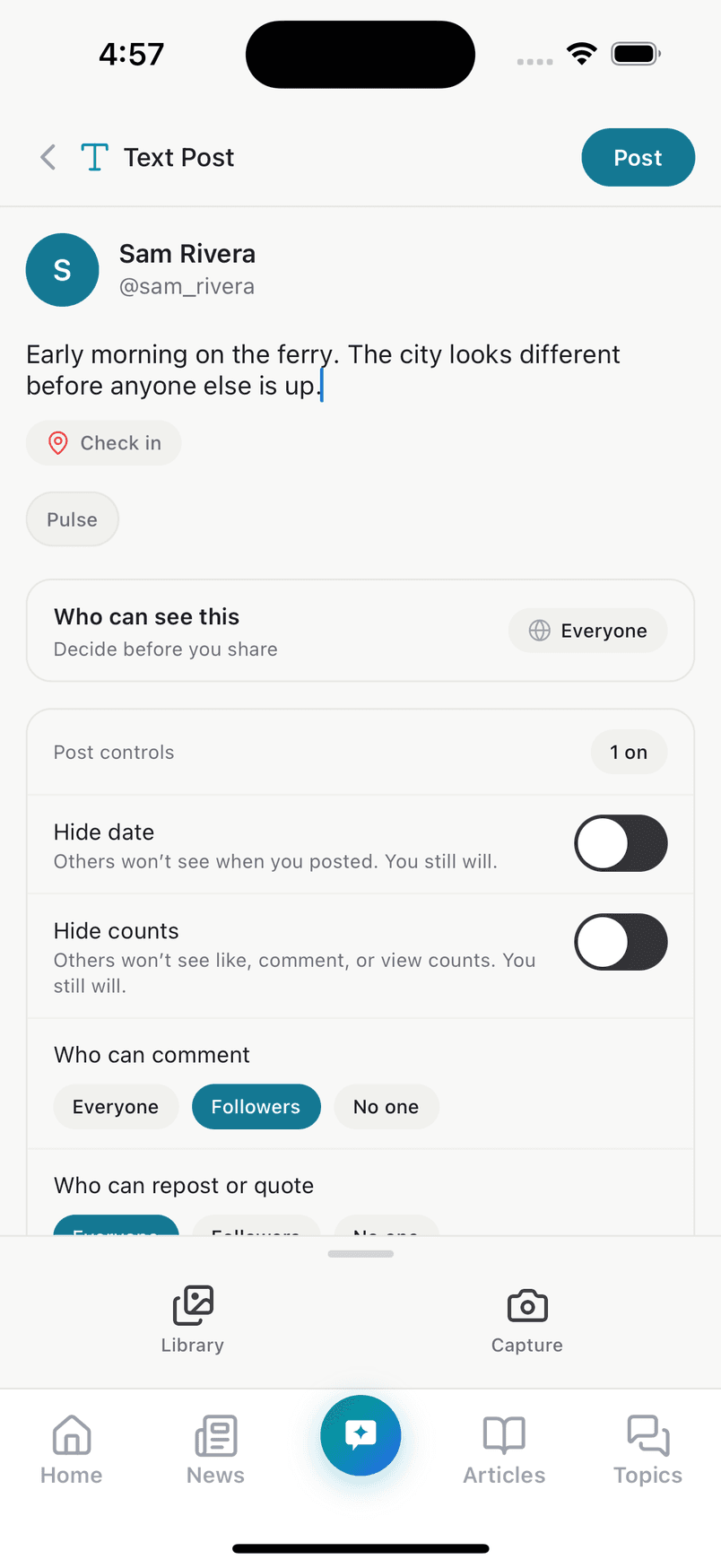
Hide the date and counts. Choose who can reply. 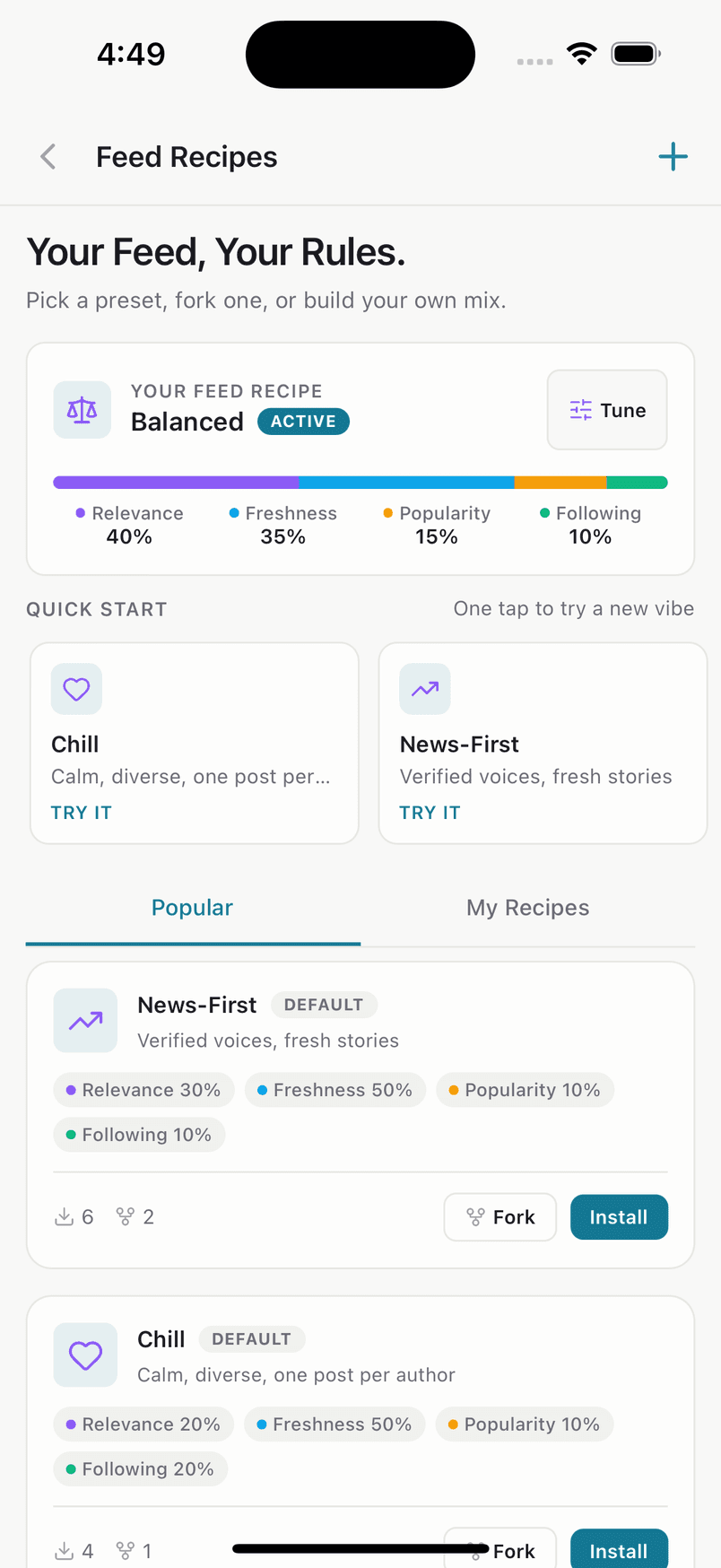
Feed Recipes: tune your own feed.
Close Friends
Share with a smaller circle. People aren't told when they're added or removed.
Mute the noise
Filter words, phrases and hashtags out of your feed.
Comment filters
Hide comments on your posts that contain words you choose.
Private account
Decide who can follow you and who can message you.
Real screens from the TrueSay app, shown with a demo account.
See all featuresCreator tools · TrueSay Agents
From the morning's headlines to a post you can stand behind.
A team of AI agents checks the story, writes your script, reads it aloud, checks the video you made and drafts the post. Every verdict links to its source. Every result is AI-generated and labelled, and you decide what gets published. In the app for iPhone and Android, and in your Workspace on the web.
- 1Find the story
- 2Check the facts
- 3Write the script
- 4Hear it read
- 5Check your video
- 6Draft the post
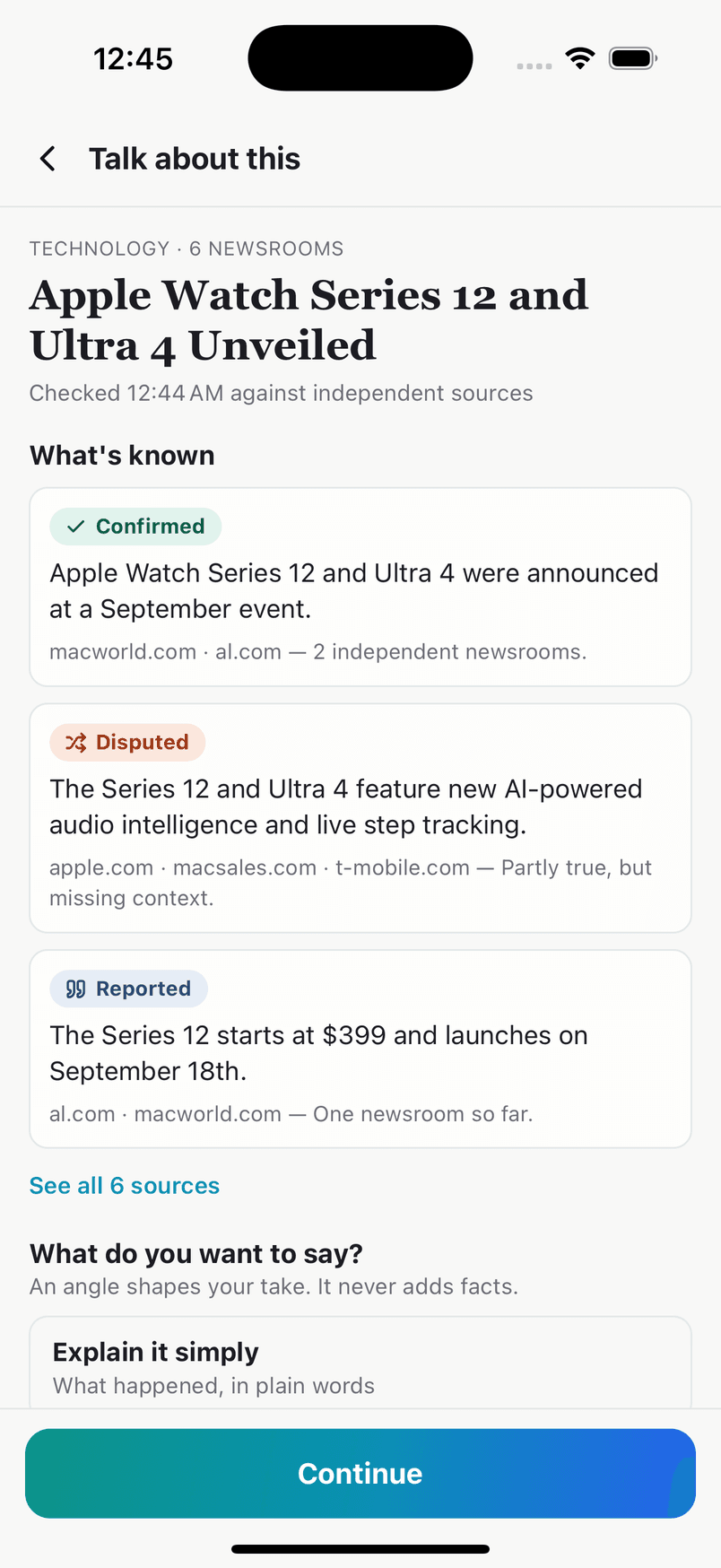
Talk about this: every key fact in a story, labelled. 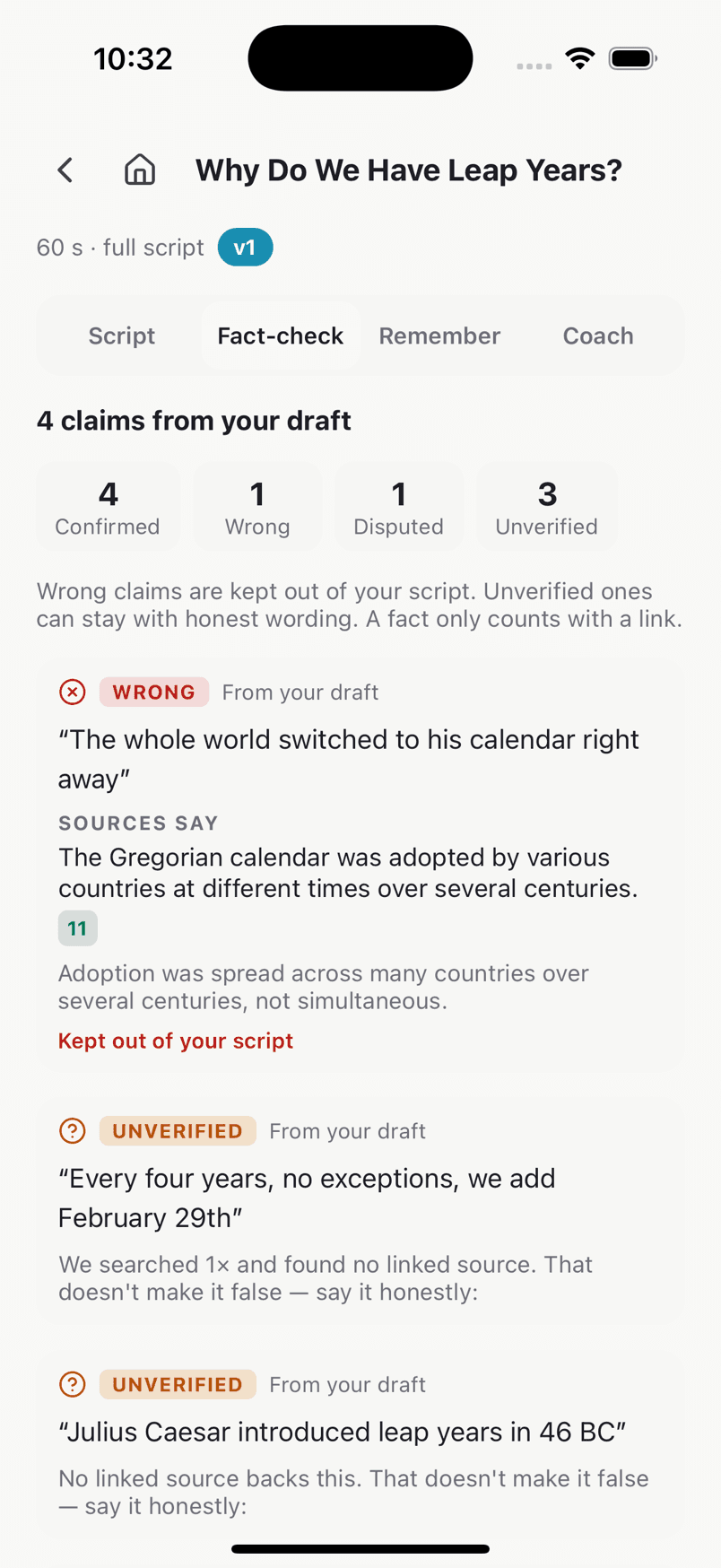
Script Agent: wrong claims kept out of your script. 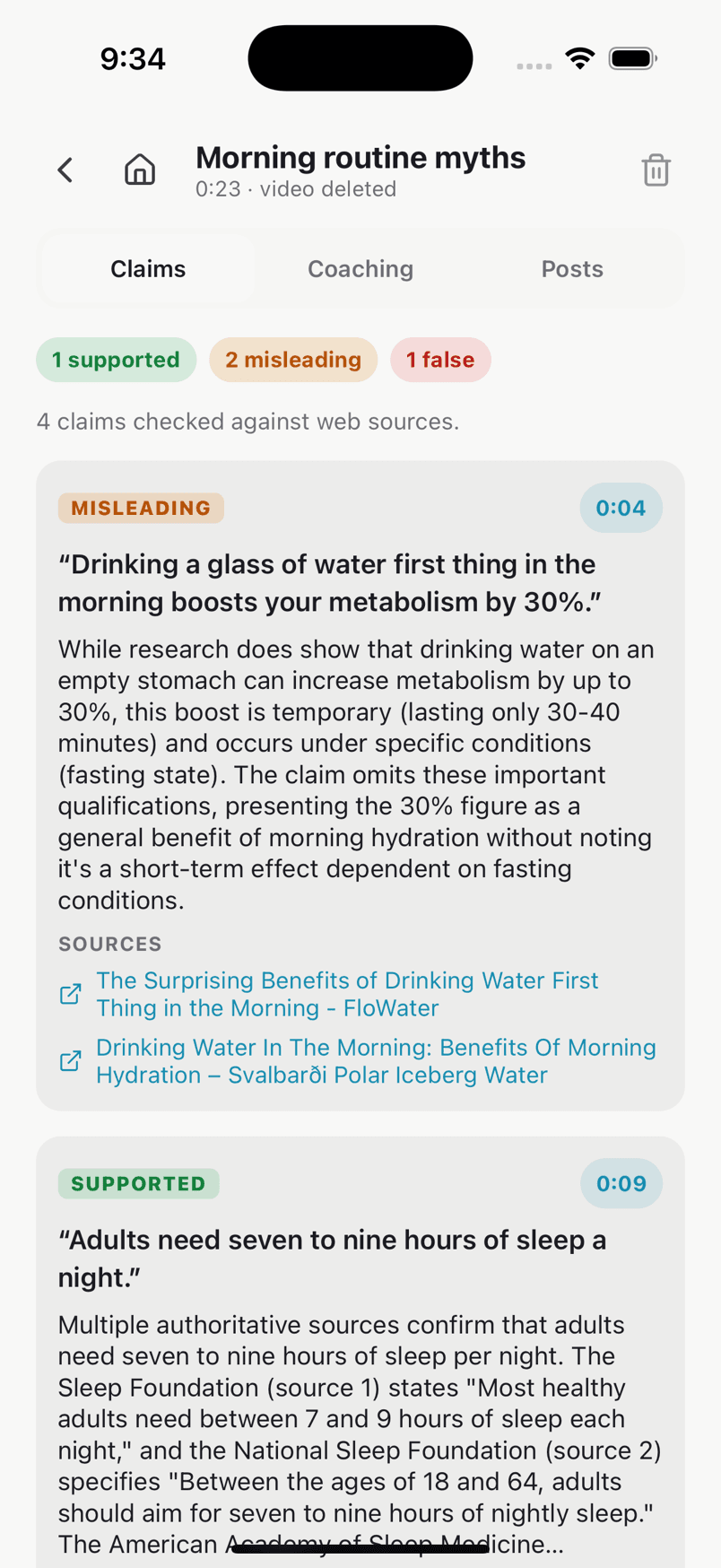
Video Analysis: each claim you said, checked.
Talk about this
Tap it on any story. See what's confirmed, then make a post, talking points or a script.
Script Agent
Fact-check your idea and get a script built on facts that hold up.
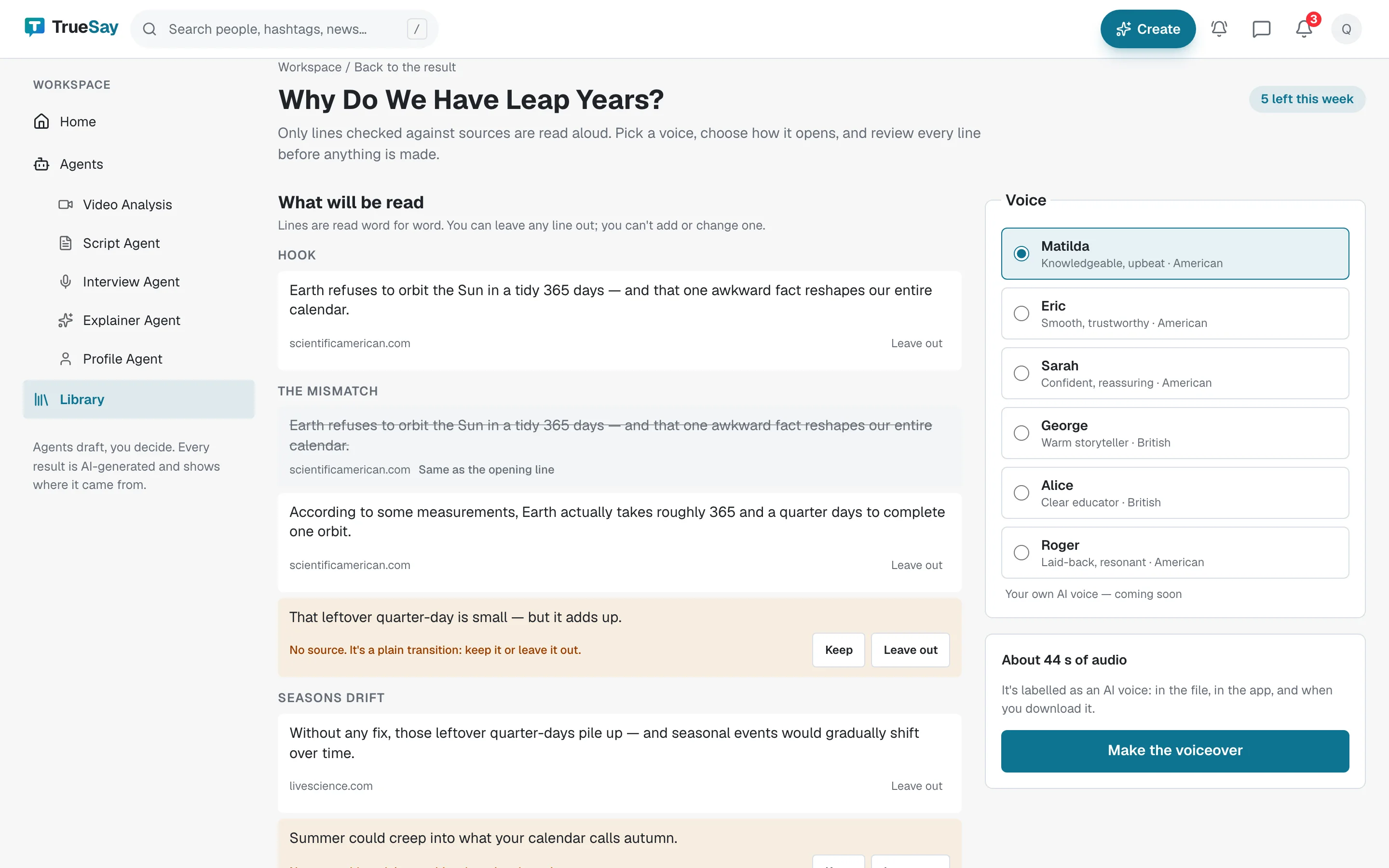
Voiceovers
Hear a checked script or brief read aloud, with captions for your editor.
Video Analysis
Upload your own original video before you post it: claims checked, risks flagged, captions written.
Draft a post
Turn a story, script or brief into a post draft from sourced facts. You add your take.
Interview Agent
Give it a guest and a topic. Get a brief and the questions to ask.
Explainer Agent
Give it a topic. Get background, a timeline and a glossary, every line footnoted.
Profile Agent
Give it a public figure. Get who they are, from the public record.